 AI Chat Tools
Export Claude, Gemini and Grok chats
The same one-click export works on Claude, Gemini and Grok, with folders, search and bulk tools on every site.
Coming soon to the Chrome Web Store
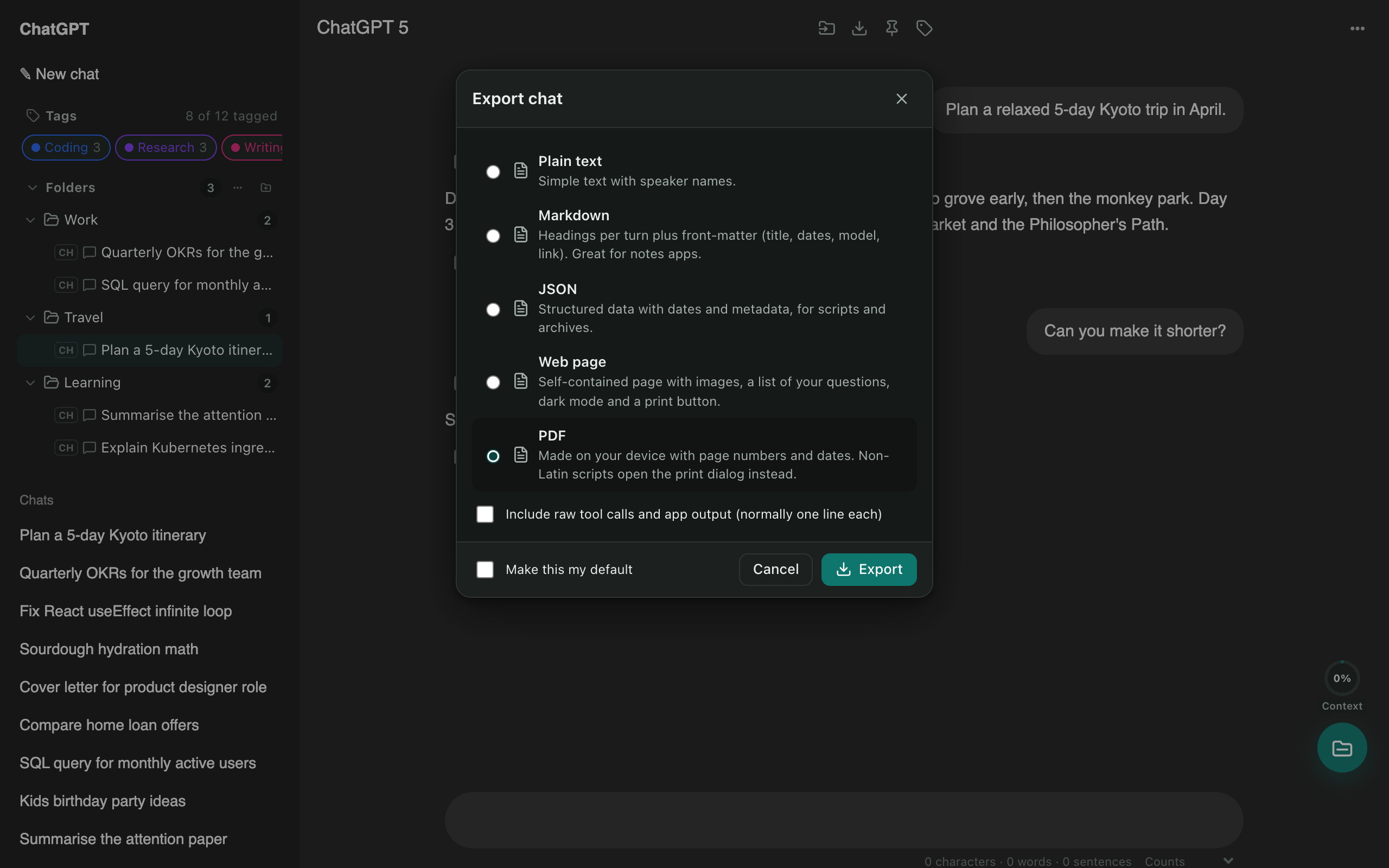
One toolkit for every assistant
- Export to PDF, Markdown, text, JSON or a web page.
- Bulk export many chats as one ZIP.
- Folders, search and tags shared across ChatGPT, Claude, Gemini and Grok.
- Claude Artifact vault: every artifact you’ve created, searchable, with versions.
Questions
Do I need to turn on Gemini and Grok?
ChatGPT and Claude work out of the box. Gemini and Grok are switched on from the extension's toolbar menu, which asks Chrome for access to those sites.
Does Claude export include artifacts?
Yes. Claude artifacts are saved in your exports, and the Artifact vault lets you browse and download every version.
More tools
ChatGPT exporter
One click saves the chat you're reading. Or select dozens of chats and download them all as a ZIP, organised by folder.
Bulk delete chats
Clear out old chats in seconds. Tick the ones you want gone, or select all, then delete or archive them together.
ChatGPT to Claude
Carry a conversation to another assistant without starting over. The context is condensed on your device and placed in the new chat for you.