 AI Chat Tools
Search every message in your ChatGPT history
ChatGPT's search mostly matches titles. AI Chat Tools indexes the full text of your chats on your device, so you can find that one answer from months ago.
Coming soon to the Chrome Web StoreRead the guide
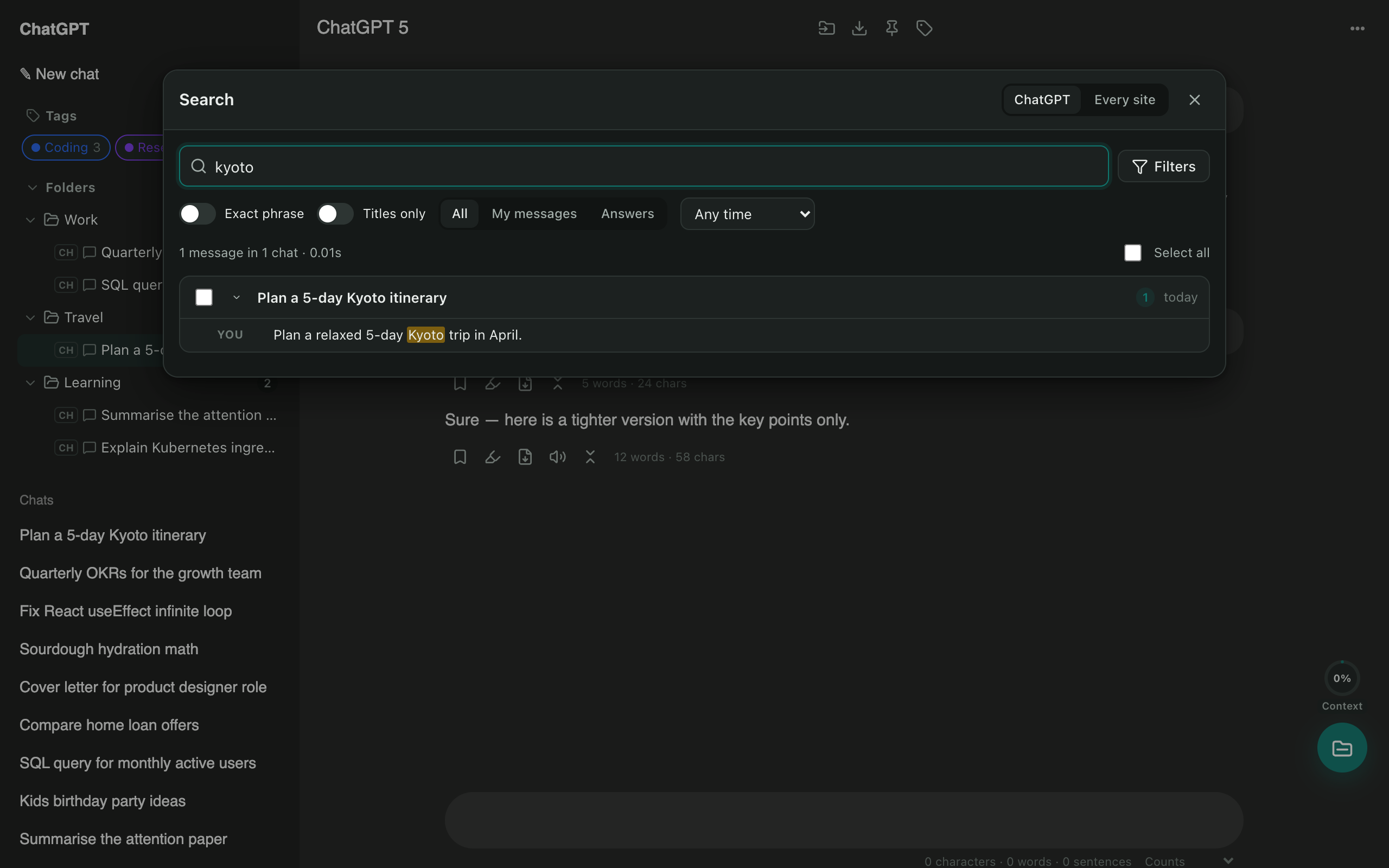
Find it in seconds
Press Ctrl/⌘ + Shift + F and start typing. Every match is highlighted. Click one to open the chat and jump to that exact message.
Filters that matter
- Date: any time, past week, month, year, or a custom range.
- Who said it: your questions or the AI’s answers.
- Exact phrase and titles only.
Find inside a long chat
Press Alt + Shift + F to find text in the open chat, with next and previous buttons that scroll to each match.
Questions
Does search work offline?
Yes. The index lives in your browser, so searching is instant and private.
Can I search by date?
Yes: past week, month or year, or a custom from/to range.
Can I search Claude, Gemini and Grok chats too?
Yes. Search the current site, or all sites at once from the search page.
More tools
ChatGPT exporter
One click saves the chat you're reading. Or select dozens of chats and download them all as a ZIP, organised by folder.
Bulk delete chats
Clear out old chats in seconds. Tick the ones you want gone, or select all, then delete or archive them together.
ChatGPT to Claude
Carry a conversation to another assistant without starting over. The context is condensed on your device and placed in the new chat for you.