 AI Chat Tools
Your AI chats, organised.
Exported. Searchable. Tidy.
Folders, export, bulk delete and search for ChatGPT, Claude, Gemini and Grok. A free Chrome extension that keeps everything on your device.
Coming soon to the Chrome Web StoreSee how it works
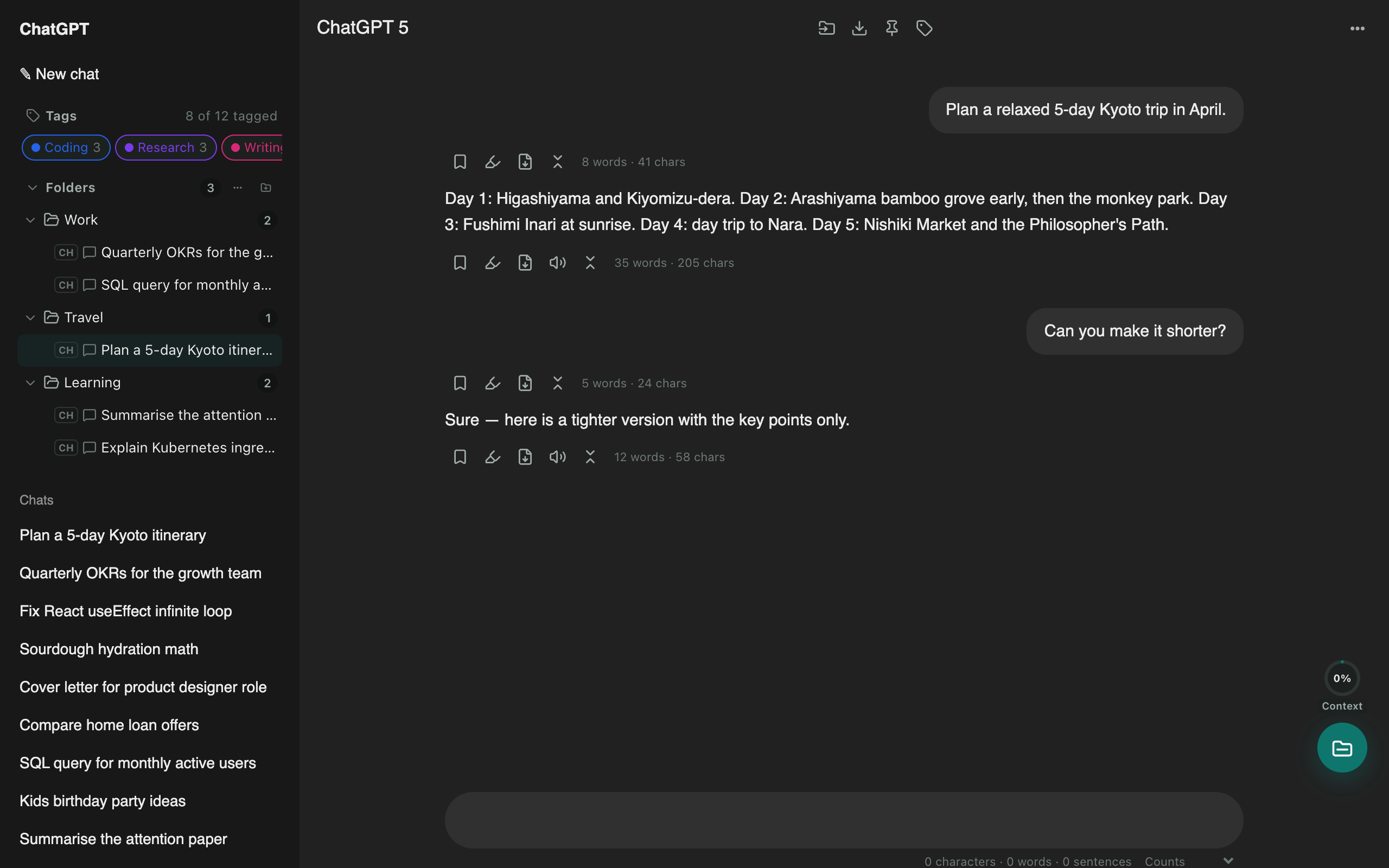
Everything ChatGPT is missing
ChatGPT exporter
One click saves the chat you're reading. Or select dozens of chats and download them all as a ZIP, organised by folder.
Bulk delete chats
Clear out old chats in seconds. Tick the ones you want gone, or select all, then delete or archive them together.
ChatGPT to Claude
Carry a conversation to another assistant without starting over. The context is condensed on your device and placed in the new chat for you.
ChatGPT folders
Nested folders appear in ChatGPT's own sidebar. Drag a chat onto a folder to file it, and keep your chat list tidy.
Search chat history
ChatGPT's search mostly matches titles. AI Chat Tools indexes the full text of your chats on your device, so you can find that one answer from months ago.
Claude & Gemini export
The same one-click export works on Claude, Gemini and Grok, with folders, search and bulk tools on every site.
Prompt library
Save the prompts you reuse, fill in variables, and insert them by typing // in any chat.
Private by design
No account, no servers holding your chats, no analytics. Search indexes, folders and exports are all made inside your browser.
Guides
How to Delete ChatGPT History (One Chat, Many, or All)
Step-by-step: delete a single ChatGPT chat, delete many chats at once, or clear your whole ChatGPT history, plus how to keep the chats you still need.
How to Export a ChatGPT Conversation to PDF
Save any ChatGPT chat as a clean PDF with formatting, dates and page numbers, or export many chats at once as a ZIP. Works with ₹, emoji and other symbols.
How to Transfer a ChatGPT Conversation to Claude
Move a ChatGPT chat to Claude (or Gemini) and keep the context. Condense it on your device or ask ChatGPT for a hand-off summary, then continue in Claude.
ChatGPT Chats Disappeared? How to Get Them Back
Missing ChatGPT chats are usually archived, in a project, in another workspace, or hidden by a short sidebar list. Here's how to find them, and how to keep a local copy.
How to Search ChatGPT History (Including by Date)
Search the full text of your ChatGPT chats, filter by date range, questions or answers, and jump to the exact message. Works for Claude, Gemini and Grok too.
How to Organise ChatGPT Chats Into Folders
Create folders in the ChatGPT sidebar, drag chats into them, nest subfolders, and hide filed chats so your list stays clean.
Questions
Is it free?
Yes. Folders, search, export, bulk delete and the prompt library are free while we are in early access.
Do my chats leave my computer?
No. Your chats, folders and search index are stored in your browser. There is no account, no tracking and no telemetry. The site’s sign-in is only ever sent back to that same site.
Which sites does it work on?
ChatGPT and Claude out of the box. Gemini and Grok (including Grok on X) can be switched on from the toolbar button.
Which browsers?
Chrome, plus Chromium browsers that install from the Chrome Web Store, such as Edge, Brave and Arc.